DSL
Compact diagram language
Modules, aliases, manual coordinates, link labels, forced ports, and numbering helpers stay readable enough to hand-edit.
Visualizing Code
Transforming Code into Clear Diagrams
C2D turns a compact diagram DSL into readable SVG layouts. It focuses on practical routing quality: fixed-position modules, obstacle-aware connectors, port direction control, transform debugging, and quality ensured through systematic regression testing.
DSL
Modules, aliases, manual coordinates, link labels, forced ports, and numbering helpers stay readable enough to hand-edit.
Routing
The engine tries to avoid node overlap, reduce crossings, separate ports, and keep links orthogonal.
Debug
Use the transform debugger and regression examples to reason about route decisions instead of guessing.
Search Intent
C2D is built for people searching for a practical code to diagram workflow. You write concise text, define modules and links, and get an SVG diagram with routing that stays readable as the graph grows.
Routing Engine
C2D is not just drawing straight connectors. It tries to choose ports, route around blockers, and react to crossings as edges are added.
Playground Workflow
The current product surface is the Playground. You write DSL on the left, render on demand, and inspect the last transform when layouts look wrong.
Example
This sample demonstrates the parser's capabilities, showcasing fixed coordinates, directed, and dashed links.
module Client
module Gateway at 2,0
module Worker at 4,1
module DB at 6,1

Client --> Gateway
Gateway --> Worker
Worker --> DB
DB ..> Gateway
Example 01
The auto layout feature intelligently positions nodes on the canvas, ensuring optimal readability and flow. It eliminates the need for manual coordinate specification, allowing you to focus purely on the relationships between your components. This is ideal for quickly sketching new designs or visualizing systems where precise placement isn't critical.
module Client
module API
module DB

Client --> API
API --> DB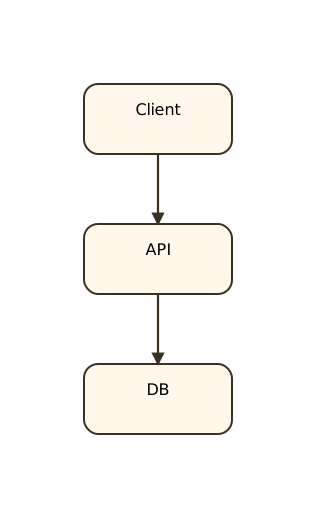
Example 02
Gain precise control over your diagram's structure by manually setting the coordinates for each module. This feature is invaluable when you need to align your diagrams with existing architectural blueprints, specific documentation, or simply desire a pixel-perfect arrangement that automatic layouts cannot provide. It ensures your visualization perfectly matches your intent.
module Gateway at 2,0
module Worker at 4,1
module Queue at 2,2

Gateway --> Worker
Worker ..> Queue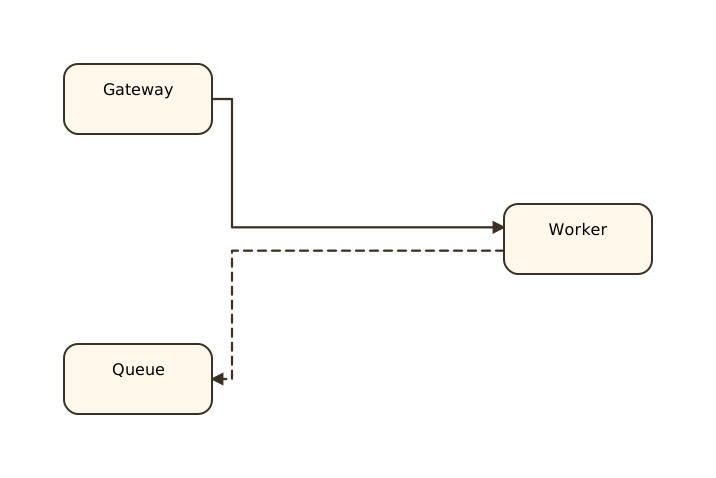
Example 03
Sometimes default routing isn't enough. Forced ports allow you to specify exactly which side a link should enter or exit a module. This is particularly useful for clarifying complex connections, avoiding visual clutter in dense diagrams, or adhering to specific visual conventions in your documentation. It gives you the power to fine-tune the aesthetics of your connections.
module Client
module Gateway at 3,0
module Queue at 3,2

Client[r] --> Gateway[l]
Gateway[b] ..> Queue[t]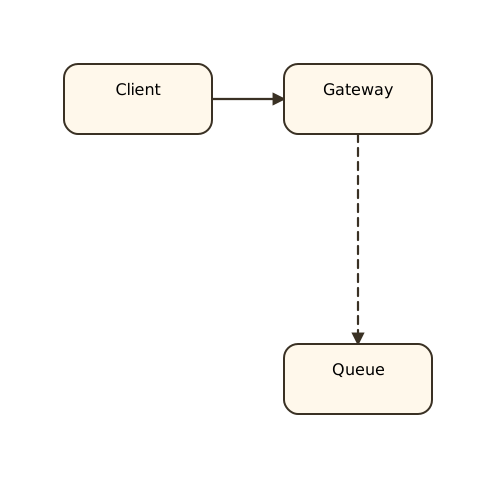
Example 04
Streamline your diagram DSL by using auto-numbering for repeated edge labels. This feature automatically increments numerical labels in sequences, keeping your source code compact and easy to read. It's ideal for illustrating multi-step processes or message flows where order and clear identification are crucial, without the hassle of manual numbering.
module API at 0,0
module Worker at 2,0
module Queue at 4,0
module Store at 6,0
module Cache at 6,2
module Notify at 4,2
module Audit at 2,2

API -job #100-> Worker
Worker -job #-> Queue
Queue -job #-> Store
Store -job #-> Cache
Cache -job #-> Notify
Notify -job #-> Audit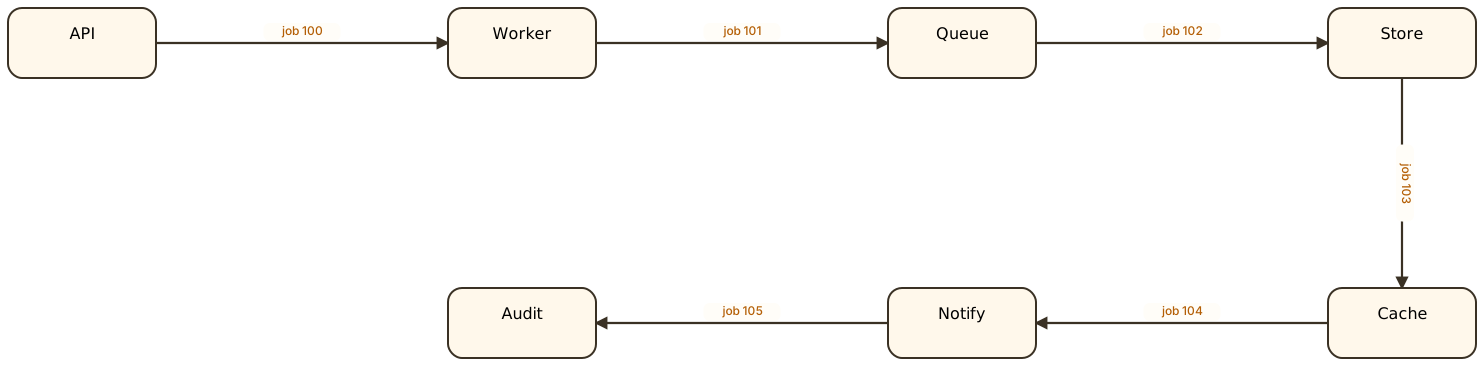
Example 05
This comprehensive example brings together multiple powerful features of C2D. It showcases how you can effectively combine fixed node positioning, forced port usage, custom labels, automatic numbering, and different link styles (like dashed lines) to create sophisticated and highly descriptive diagrams. This demonstrates the flexibility and depth of C2D's DSL for complex system visualizations.
module Client
module Gateway at 2,0
module Worker at 4,1
module Queue at 4,3
module DB at 6,1

Client --> Gateway
Gateway[r] -job #1-> Worker[l]
Worker --> DB
Worker[b] .status #.> Queue[t]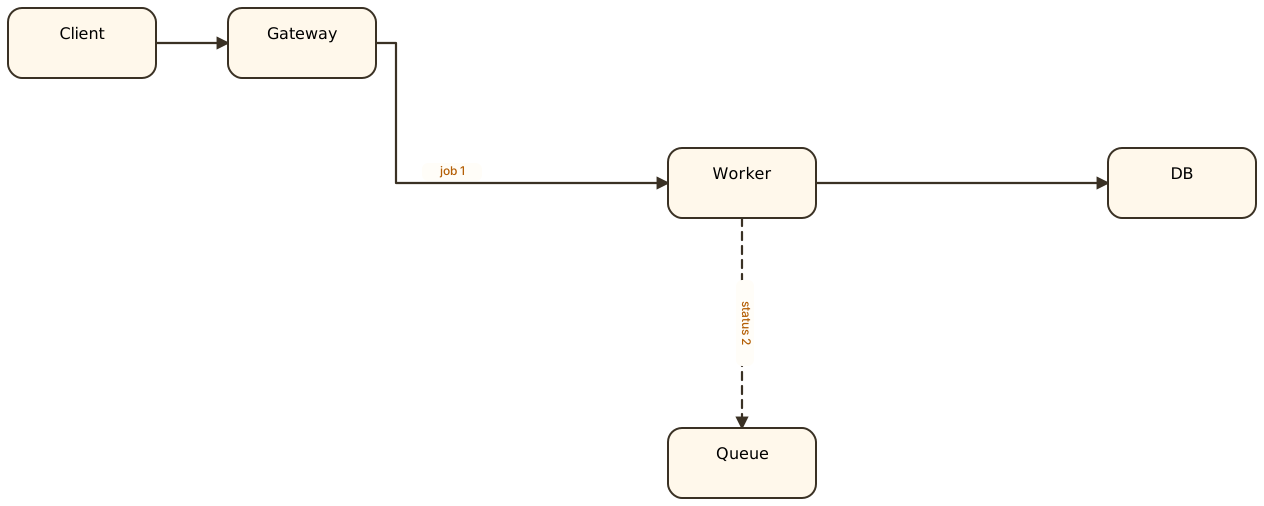
For Engineers
Describe service relationships, queue flows, gateways, workers, and database links with a syntax that stays diff-friendly.
For Review
Keep saved examples around and check whether routing behavior regresses when the engine changes.
For Product Work
The fastest way to understand C2D is still the Playground: load a sample, edit text, convert, and inspect the result.
Next Step